Sometimes disabling the UAC in Windows 7 will correct installation or connection issues with the Personal VPN software.
To disable the UAC:
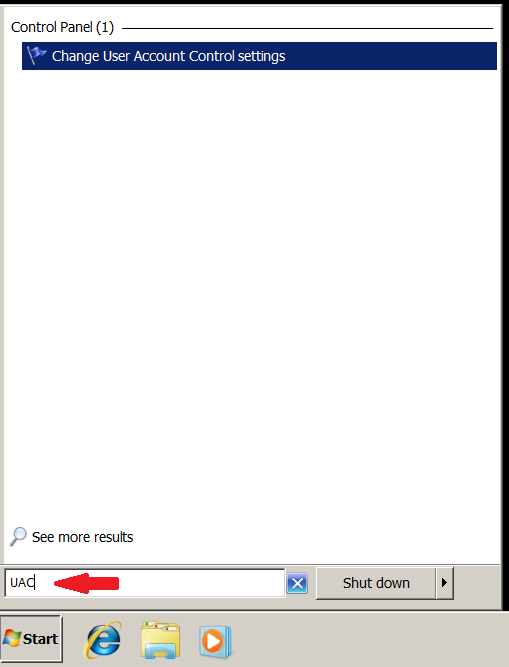
1) Go to ‘Start’ and enter ‘UAC’ in the search bar.
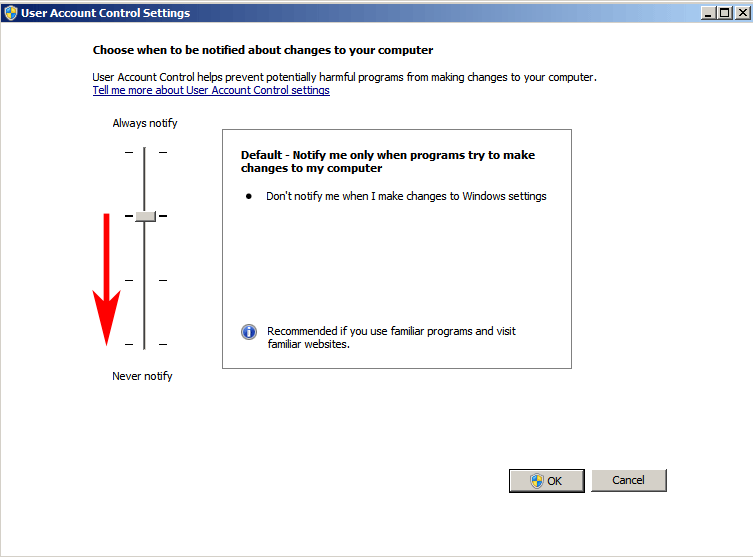
2) Click on ‘Change User Account Control Settings’. You will see the screen below. Slide the slider down as shown to ‘never notify’ and hit ‘OK’. Then reboot the computer.