Unlike some VPN services, SurfBouncer Personal VPN does not throttle any speeds on our end. We give you a wide open connection through the network. However, the OpenVPN application on your computer, when it installs in Windows, is given a “Normal Priority”. In most cases, this is adequate. However, on some computers that have a lot of other processing going on, the processor could become highly loaded and give the VPN less processing time than it needs for optimal performance. This can be resolved by setting the priority of the application to “High”. To do this, you have to edit the Windows registry. (NOTE: You should always backup the registry before making any changes to it.)
To change the process priority:
–Go to ‘Start’ and search Run
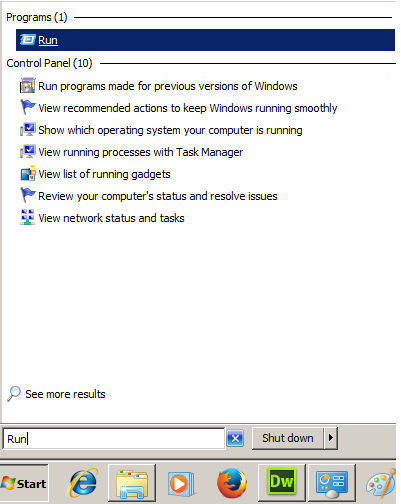
Click on the program highlighted above and type regedit then hit OK

–Go to ‘HKEY_LOCAL_MACHINE\SOFTWARE’
–Select ‘OpenVPN’ and click on the ‘priority’ link
–Change it to ‘HIGH_PRIORITY_CLASS’
–Select ‘OpenVPN-GUI’ and repeat the process
–Exit and you are finished
Note: On 64 bit Windows systems the OpenVPN and OpenVPN-GUI options will be under the Wow6432Node tab at the bottom of the Software list. Expand Wow6432Node to see the options.